Operating model
Know which stage your work is in, which loop and pack help there, and where the agent stops for your decision.
Every piece of work moves through five stages: find the problem, decide how to build it, build it, ship it, and run it. Skills do the work inside each stage, and each stage ends at a gate that decides whether the work moves on.
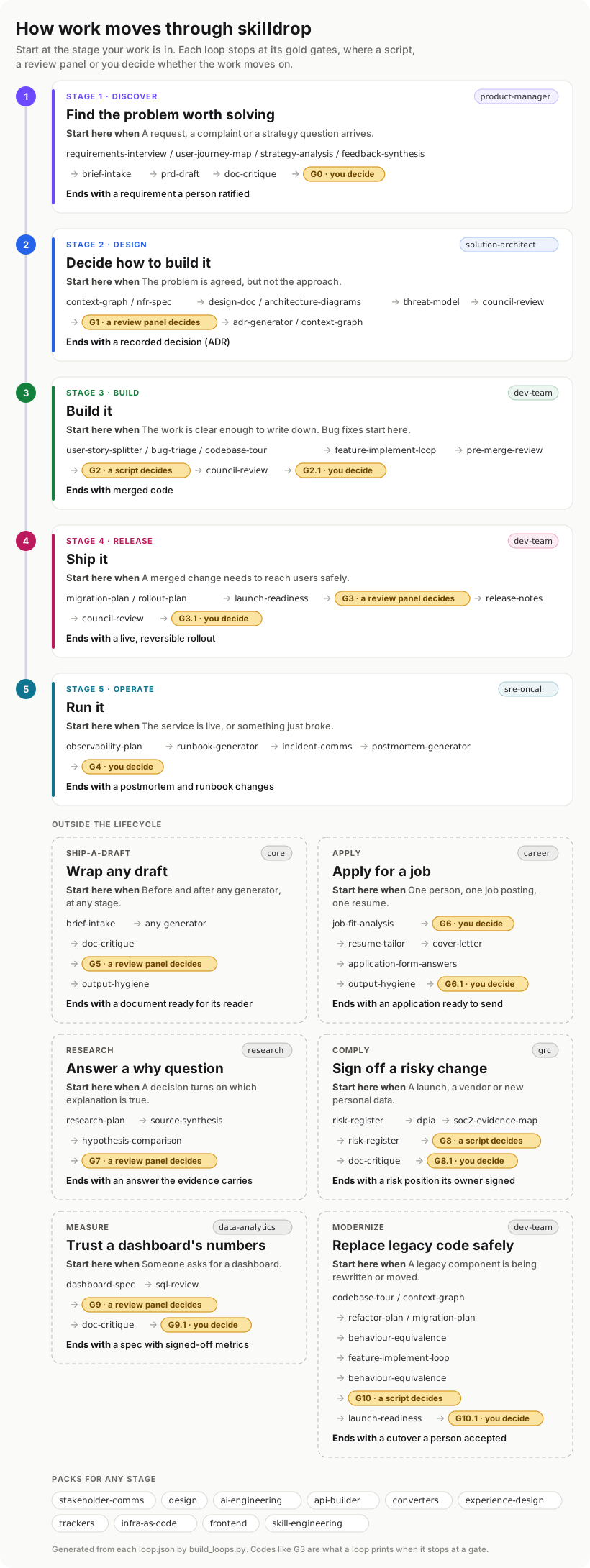
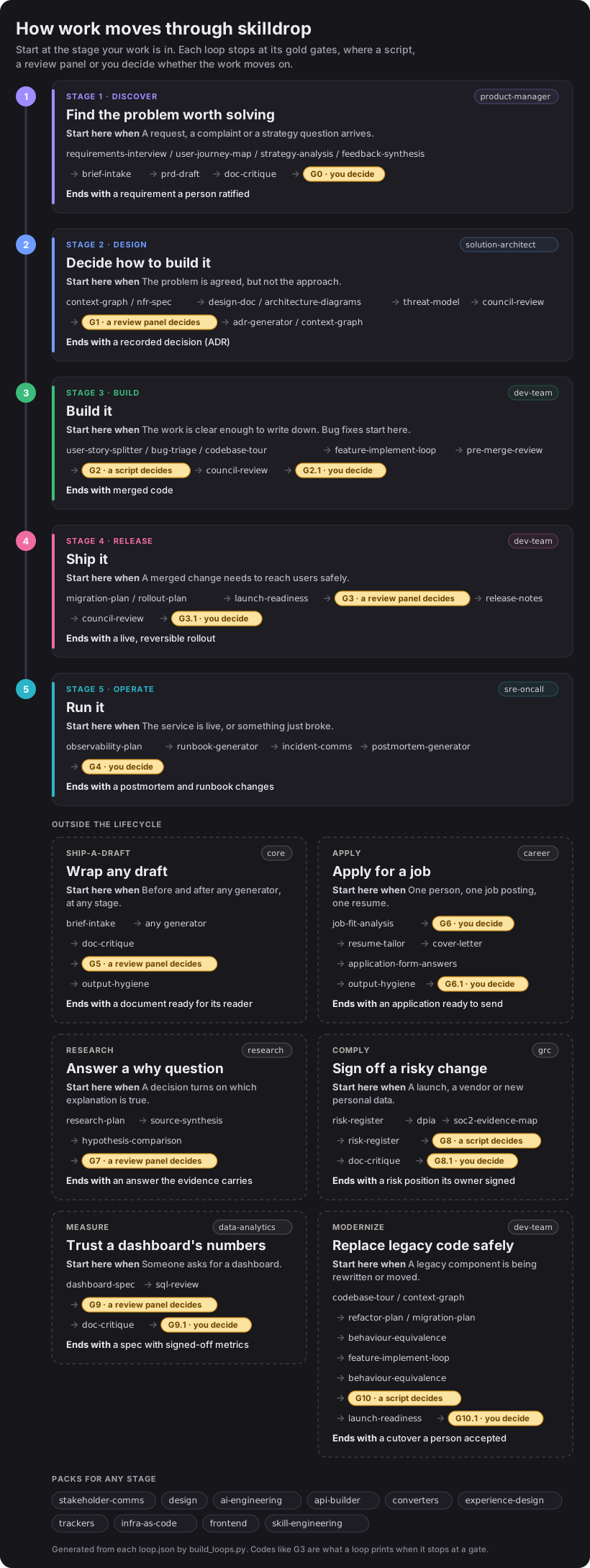
Open the picture full size. It is generated from each loop's loop.json, so it changes when a loop does.

The five stages
Start at the stage your work is in. A bug fix starts at build.
| Stage | Loop | Pack | It ends when |
|---|---|---|---|
| Find the problem worth solving | discover | product-manager | You ratify the requirement (G0) |
| Decide how to build it | design | solution-architect | A review panel accepts the design (G1) |
| Build it | build | dev-team | The checks pass (G2) and you merge (G2.1) |
| Ship it | release | dev-team | Readiness is shown on evidence (G3) and you say go (G3.1) |
| Run it | operate | sre-oncall | You close the incident with a postmortem (G4) |
Some packs help at any stage: stakeholder-comms to explain the work, design for on-brand decks, research to answer a question with sources, converters to move between formats, trackers to keep Jira, Linear or GitHub Projects straight, and data-analytics, grc, infra-as-code, experience-design, ai-engineering, api-builder and skill-engineering for their specialist work.
Find the problem worth solving
You turn a request, a complaint or a strategy question into a requirement someone has agreed to. The discover loop interviews for requirements, maps the journey, structures the brief and drafts the PRD, then stops. No check can tell you that you solved the wrong problem well, so a person ratifies it at G0. See the product manager workflow.
Decide how to build it
You turn the requirement into a recorded decision. The design loop sets the quality targets, writes the design doc and diagrams, and models the threats. Then council-review puts it to a panel of independent reviewers at G1, and the agreed decision is written down as an ADR. A design mistake costs months once it is in code, so dissent is recorded, not smoothed over. See the solution architect workflow.
Build it
The build loop splits the work into stories, implements each one with adversarial review, and runs your lint, type checks and tests through a gate script. At G2 the script's exit code decides: the agent cannot argue its way past a failing test. At G2.1 you decide whether to merge. See the dev-team workflow.
Ship it
The release loop plans the rollout and the way back, judges readiness on evidence at G3, and drafts the release notes. Then you make the go/no-go call at G3.1. The two questions are separate: G3 asks whether the change can ship, and G3.1 asks whether it should ship now. See release a change, and from idea to shipped feature for one release end to end.
Run it
The operate loop plans what to watch, writes the runbook, communicates during an incident and writes the postmortem. At G4 you close the incident, and the postmortem's changes go back into the runbook. See from complaint to closed incident.
Where the agent waits for you
The harder a mistake is to undo, the more the agent waits:
| A mistake here | Examples | Who decides |
|---|---|---|
| Can be undone cheaply | A failing test, a lint error | A script, by its exit code (G2) |
| Costs months or users to undo | A design, a launch that is not ready | A review panel, with dissent recorded (G1, G3) |
| Can't be undone, or is a judgment call | The problem you commit to, a merge, a go-live, closing an incident | You (G0, G2.1, G3.1, G4) |
Every gate answers from one shared set of verdicts:
| Class | Verdicts | What happens next |
|---|---|---|
| Pass | READY, PROCEED, SHIP IT, VERIFIED | The work moves on |
| Conditional | PROCEED WITH CONDITIONS, SHIP WITH CHANGES, VERIFIED WITH OPEN ITEMS | The work moves on, and the named items go with it |
| Revise | REVISE, NOT READY, MAJOR REWRITE | Back to an earlier stage, at most three times |
| Redirect | RECONSIDER, SPLIT, WRONG ARTIFACT | The work is the wrong shape, so it leaves the loop |
| Blocked | BLOCKED | Something is missing, and the agent names it |
How to read a gate code
A gate code tells you where the work stopped. The whole number is the loop's place in the lifecycle, from G0 at discover to G4 at operate. A decimal is a second gate inside the same loop, so G3.1 is the go/no-go that follows the G3 readiness review.
Outside the lifecycle
Two loops are not stages. ship-a-draft wraps any document, at any stage: it collects the input properly, lets any skill draft, and has doc-critique check the result at G5. apply serves one person, not a team: it checks your resume against a job posting and you decide whether to apply at G6, then it writes the application and stops at G6.1 for you to confirm every line is true.
Install the loops you use
Each loop installs with the skills its stages run:
npx skilldrop-cli install --loop discover design build release operateThat installs the five lifecycle loops. Name only the ones your team uses, or install every loop a pack holds with npx skilldrop-cli install --loop --pack dev-team. Then ask your agent to run one, for example: "Run the build loop on this story." See the loops, stage by stage for every stage and skill, and why loops for why they are built this way.